

This app is only available on Apple TV and you can use this app to watch your favorite IPTV playlist in the Apple TV from Gen 3 .
This is most popular with a smooth interface application for IPTV . We recommend it between all other available apps for Apple TV .
You need install iPlayTV from Apple TV app store . it Cost 5.99 USD
App in app store : https://apps.apple.com/app/iplaytv/id1072226801
Then follow this steps :
Time needed: 8 minutes.
Install IPTV in iPlayTV on Apple TV
open iPlayTV and select Add Playlist

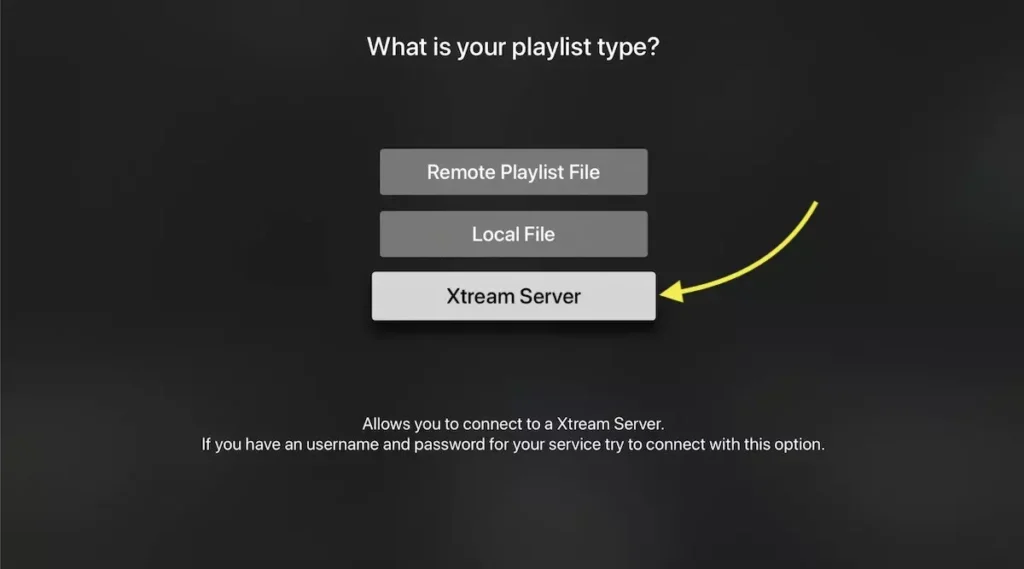
Choose Xtream Server
There are 3 ways to add IPTV list: M3U link (Remote playlist file) , Downloaded m3u list (Local file) and Xtream Server . We recommend to use Xtream server method which provide you more feature like EPG and play list auto update .
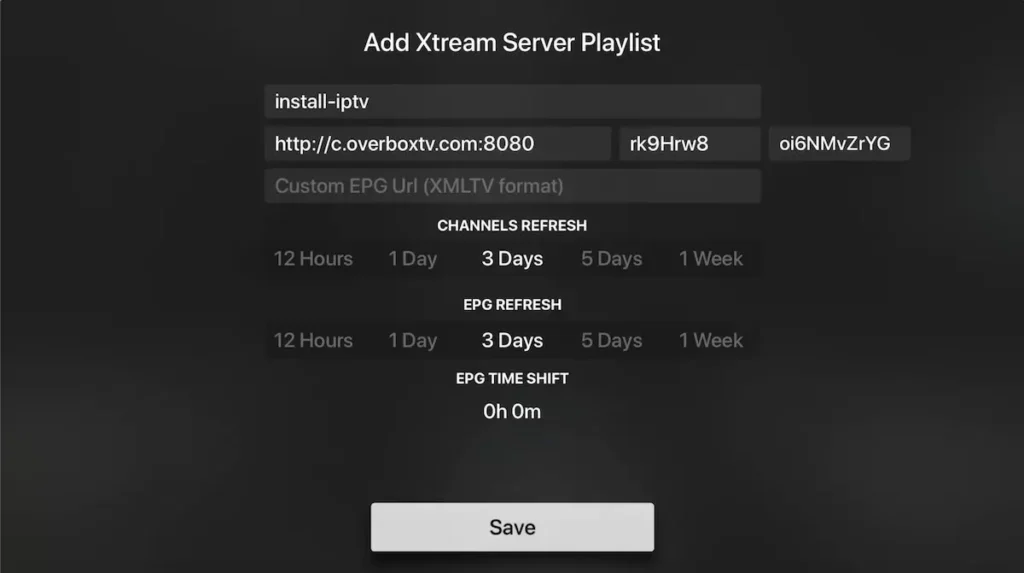
Enter Xtream server details
You need enter the Xtream server details : Server URL ,Username and password which provided by your IPTV provider .
You can Extract Xtream server details form M3u link too , Look at FAQs section below.
Note : you need enter a name for playlist , It can be any name ( install-iptv in this case)
Select Save
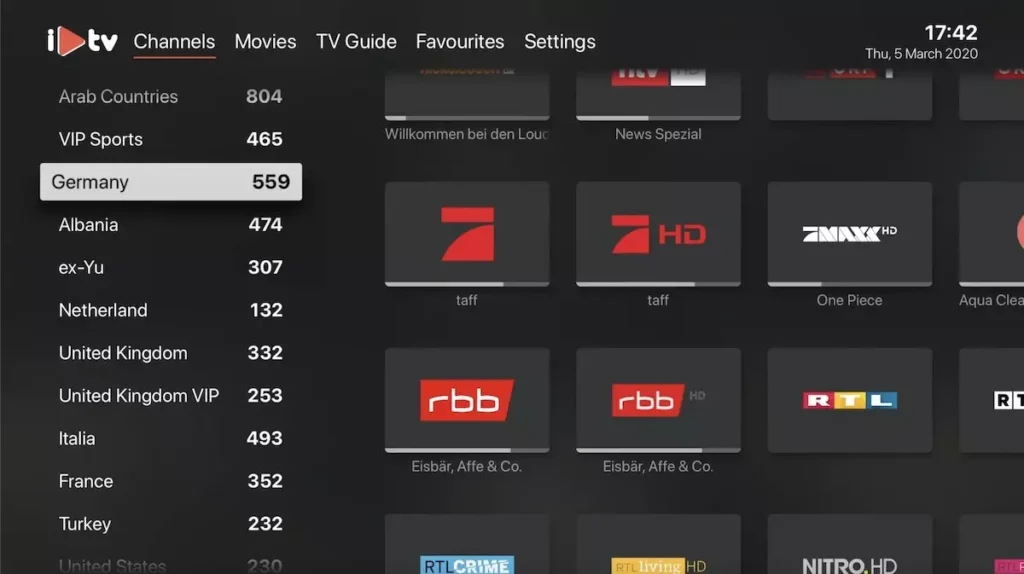
Channels and VOD loading
In last the playlist load channels, VOD and EPG informations.
Done

We use cookies to improve your experience on our site. By using our site, you consent to cookies.
Manage your cookie preferences below:
Essential cookies enable basic functions and are necessary for the proper function of the website.